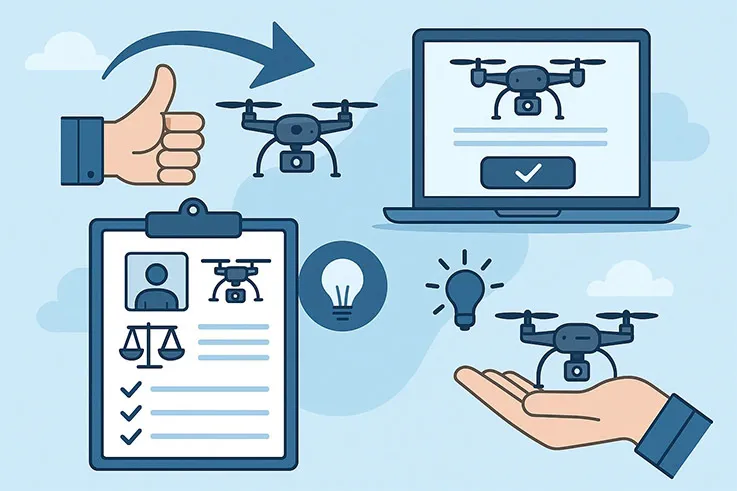
Learn how to register your drone easily with clear steps, key requirements, and tips that work in the U.S. and other countries worldwide.
The process for registering a drone depends heavily on where you are located and whether you plan to fly for recreational (hobby) or commercial (business/non-hobby) purposes.
Since the Federal Aviation Administration (FAA) in the United States has the most comprehensive online process, here is a guide based on their requirements:
Before you lift off for that first breathtaking flight, it's worth pausing to ask a simple but crucial question: does your drone need to be registered?
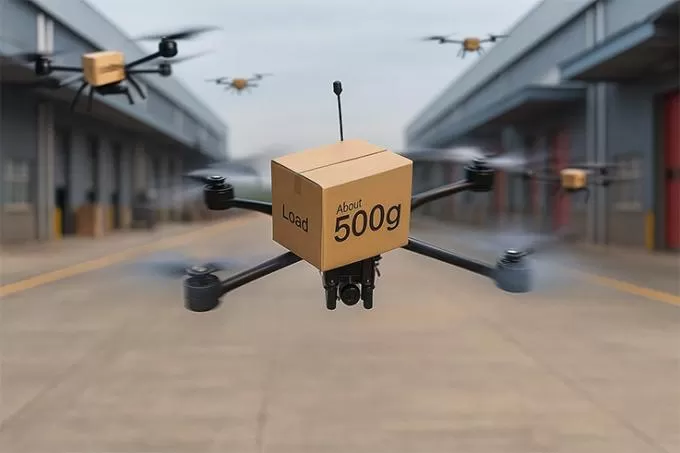
In the United States, the Federal Aviation Administration (FAA) sets clear thresholds. Any drone that weighs 0.55 pounds (250 grams) or more at takeoff—and that includes every accessory you add, from high-resolution cameras to extra batteries—must be registered.
The rule goes a step further for business operators. If you plan to fly a commercial drone under Part 107 regulations, registration is mandatory no matter how light the aircraft is. Whether you're capturing aerial footage for real-estate marketing, inspecting roofs, or mapping farmland, a commercial flight demands that your drone is properly documented with the FAA. The only true exception applies to ultra-light drones under 0.55 pounds flown strictly for recreational fun, with no money involved.
Registering your drone isn't just a bureaucratic step; it's a safeguard. It ensures accountability in shared airspace and gives you proof of compliance—something clients expect when hiring a commercial drone pilot and something hobbyists need to avoid fines or flight restrictions.
The FAA makes the process refreshingly straightforward through its official FAA DroneZone website, the only legitimate place to complete a U.S. drone registration. Here you'll create an account, provide a few details about yourself and your aircraft, and receive an official registration number you can use for every flight.
The cost is just $5 per registration, and that single payment keeps you compliant for a full three years. After that, renewal is quick and inexpensive. To get started, you'll need to be at least 13 years old and either a U.S. citizen or legal permanent resident.
If you're an international visitor who plans to bring a recreational or commercial drone into the country, the FAA provides a separate foreign operator process on the same site. No matter where you're from, avoid third-party services that charge extra fees—FAA DroneZone is the only official portal for registering a commercial drone or a recreational aircraft in the United States.
The FAA divides registration into two clear categories, based on how you plan to fly. Whether you're enjoying a weekend outing with an aerial photography drone or piloting a high-end industrial drone for inspections, you'll follow one of these two paths.
This track is for anyone flying purely for enjoyment—think backyard flights, scenic landscape shots, or casual practice sessions.
Take the TRUST Test – Pass the free online Recreational UAS Safety Test (TRUST) and keep your completion proof with you whenever you fly.
Create an FAA DroneZone Account – Choose “The Exception for Recreational Flyers.”
Get Your Registration – You'll receive one unique registration number that covers every recreational drone you own, whether it's a lightweight trainer or an aerial photography drone with a 4K camera.
Mark Your Drone – Clearly display that single number on the exterior of each aircraft.
Remote ID Compliance – Enter the Remote ID serial number for every drone you fly (unless you operate exclusively within a designated FRIA zone).
If you earn money or conduct any non-hobby activity—real estate marketing, crop mapping, industrial inspections, or filming for a non-profit—you must register each aircraft separately.
Obtain a Remote Pilot Certificate – Pass the in-person FAA Part 107 knowledge test to receive your official pilot license.
Create an FAA DroneZone Account – Select “Part 107.” You may register drones under your personal name or your business/organization.
Register Each Drone Individually – Every commercial drone—from a nimble camera quadcopter to a heavy-lift industrial drone—needs its own unique registration number.
Mark the Drone – Affix the corresponding number to the outside of each specific aircraft.
Remote ID Compliance – Add the Remote ID serial number for every registered drone to your FAA account.
By following these steps, both hobbyists and professionals can take to the skies with confidence, knowing their aerial photography drone or industrial drone meets all federal requirements.
No matter which path you follow—recreational or commercial—the FAA (and most other aviation authorities worldwide) will ask for the same core details when you register a drone. Preparing these items in advance keeps the process smooth and fast:
Your Physical and Mailing Address – Make sure the information matches your government-issued ID.
Make and Model of the Drone – Have the exact product name and model number ready, whether you're registering a compact aerial photography quadcopter or a heavy-duty industrial drone.
Remote ID Serial Number – This unique code proves that your aircraft meets the FAA's new Remote ID requirement for real-time tracking and airspace safety.
Payment Method – A credit or debit card is needed to cover the modest $5 registration fee, valid for three years.
If you are still choosing equipment, consider sourcing from a trusted manufacturer such as Industrial Grade Drone. They design and customize UAVs for everything from precision agriculture to large-scale infrastructure inspections. For anyone investing in a professional or commercial platform, it's wise to consult Industrial Grade Drone directly about airframe options, Remote ID compatibility, and any documentation that simplifies FAA or international registration.
The process is strikingly similar outside the United States.
Germany / EU – Register yourself as a UAS Operator through the Luftfahrt-Bundesamt (LBA) portal, upload ID, provide proof of drone insurance, pay the fee, and receive an e-ID to label on every aircraft. Most pilots also complete the A1/A3 online “drone license.”
Other Countries – Canada, the UK, Australia, Japan, and many others require the same basic steps: create an account, provide operator and drone details, pay a small fee, and mark the drone with the issued ID.
Always carry a copy of your certificate or e-ID when you fly, renew before it expires, and stay current with local airspace rules using tools like the B4UFLY or AirMap apps.
Disclaimer: Drone regulations are updated frequently. Always refer to the official FAA (or your country's civil aviation authority) website for the most current rules and compliance requirements before flying.
 English
 français
 Deutsch
 русский
 فارسی
فارسی ไทย
ไทย العربية
 Nederland
 বাঙালি
 Македонија